
WhatsApp groups sound like a familiar surface, but the API is not a switch that turns an ordinary group into a campaign channel. Before a team designs bots, routing, or CRM fields, it has to answer a narrower question: is the business number eligible, and does the use case fit the current group limits?
That order matters. A group can be valuable when a small set of known participants must coordinate around one shared outcome. It is a poor fit for mass distribution, private casework, or any process that depends on features the Groups API does not support. The fastest useful project is therefore an eligibility and workflow test, not an integration sprint.
This guide gives operations, customer-experience, and product teams a practical way to make that decision. It uses current platform documentation, separates confirmed capability from product assumptions, and ends with a bounded pilot you can evaluate before scaling.
| Area | What to verify |
|---|---|
| Start with eligibility, not architecture | The current Groups API documentation describes an invite-only Cloud API capability for businesses with an Official Business Account. |
| Understand what the Groups API changes | The API creates and operates a group that is managed through one Cloud API business number. The current documentation lists a maximum of eight participants per group and up to 10,000 groups per business number. |
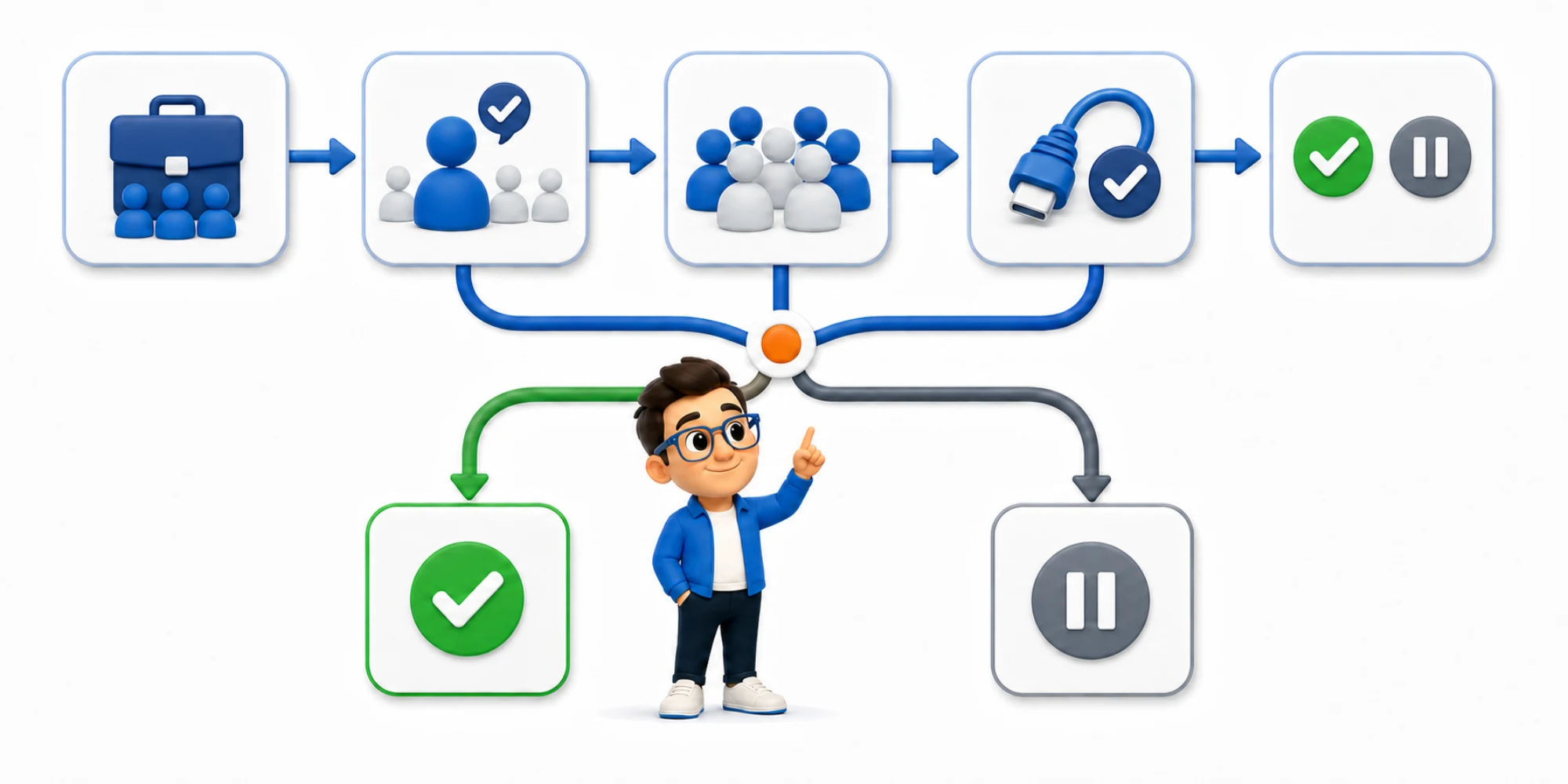
| Apply a five-gate decision test | Use five gates in sequence. A “no” at the first two stops the build; a “no” later usually changes the use case. |
| Choose use cases by coordination shape | Strong group use cases share four properties: the participants know why they are together, their updates are relevant to one another, the group has a specific finish condition, and an operator can own… |
Start with eligibility, not architecture
The current Groups API documentation describes an invite-only Cloud API capability for businesses with an Official Business Account. It also says the feature is unavailable for numbers using Coexistence or Multi-solution Conversations. Treat those conditions as a gate, not a detail to solve after development.
Ask the platform owner or solution provider to confirm the exact business portfolio, WhatsApp Business Account, and phone number that would create the groups. Keep that written confirmation with the project brief. Meta's official Cloud API collection shows that Cloud API work is tied to a Meta business portfolio, a WhatsApp Business Account, a business phone number, and the appropriate permissions. A generic statement that “the company uses WhatsApp” is not enough.
Next, verify the account mode. If staff depend on the WhatsApp Business app through Coexistence, or another provider shares the number through a multi-solution setup, the group plan conflicts with the documented availability. Do not build around an assumed future migration. Record the current mode, the owner of any change, and the acceptable fallback before approving engineering time.
The eligibility decision should be binary: confirmed for this specific number, or not confirmed. Screenshots from another account, a vendor demo, and an API object seen in a test workspace are not substitutes.
Understand what the Groups API changes
The API creates and operates a group that is managed through one Cloud API business number. The current documentation lists a maximum of eight participants per group and up to 10,000 groups per business number. People join through a unique invitation link; the business receives lifecycle and participant webhooks and can then send supported messages to the group.
That is a small coordination room, not a broadcast list and not a community forum. The participant limit is useful because it forces a clear operating purpose: a property inspection involving a tenant, contractor, and coordinator; a high-touch onboarding cohort; or a compact project update involving named stakeholders. If the intended audience is hundreds of people, a channel, campaign, or another community product is the honest design.
The surface also has meaningful exclusions. Current documentation lists calling, disappearing messages, view-once messages, authentication templates, commerce messages, and interactive messages as unsupported. It also describes missing group-administration features such as hiding the participant list and editing or deleting messages. Design only with what is confirmed today.
The cost shape deserves an early check too. Group delivery reaches several participants, so message cost and operational volume can grow with the number of recipients. Use the applicable platform pricing for the target market and message category; do not copy a budget from one-to-one support.
Apply a five-gate decision test
Use five gates in sequence. A “no” at the first two stops the build; a “no” later usually changes the use case.
- Number gate: Is the exact business number confirmed eligible, with the required account status and no incompatible Coexistence or multi-solution mode?
- Coordination gate: Do a small number of known people genuinely need a shared conversation, or would one-to-one threads protect privacy and ownership better?
- Consent gate: Can each participant understand who is inviting them, why the group exists, who else may be present, and how to leave or object?
- Capability gate: Can the workflow succeed without unsupported calls, authentication, commerce, interactive messages, disappearing content, or hidden participant lists?
- Operations gate: Is there a named owner for joins, non-joins, inappropriate content, participant removal, exceptions, closure, and the record that must survive after the group ends?
The third gate is more than good manners. The WhatsApp Business Messaging Policy requires businesses to contact people only when they have provided their number and opt-in permission, and to honor requests to stop or opt out. An invitation link does not erase that responsibility. Store the consent basis and the purpose of the invitation outside the group chat.
Create a one-page decision record with the evidence for every gate. If eligibility is pending, the status is pending—not “probably supported.” If the participant list creates a privacy problem, switching to a different channel is a successful decision, not a failed project.
Choose use cases by coordination shape
Strong group use cases share four properties: the participants know why they are together, their updates are relevant to one another, the group has a specific finish condition, and an operator can own exceptions. Weak cases use a group simply because sending one message looks efficient.
Consider a maintenance visit. A coordinator may need a resident and a contractor to agree on access within a short time window. The shared outcome is clear, the membership is small, and the group can close once the visit is completed. By contrast, discussing unrelated residents' cases in one group would expose context and blur ownership. Those conversations belong in separate customer records.
The same test works for onboarding. A group can help a few stakeholders coordinate dates, documents, and next steps for one implementation. It should not become a permanent support queue where every customer's issue is visible to others.
A useful rule is: shared outcome, shared context, short lifetime. If any part is missing, compare the design with a shared team inbox, an approved campaign, or one-to-one WhatsApp conversations before choosing a group.
Design the invite-to-exit workflow
Treat the invitation as the beginning of an operational lifecycle. The documented flow includes group creation, a `grouplifecycleupdate` event, retrieval of an `invitelink`, and a `groupparticipants_update` webhook when someone joins. Sending then targets the group rather than an individual conversation.
Map six states: proposed, eligible, created, invited, active, and closed. For each state, record the owner, allowed action, evidence, timeout, and recovery step. If group creation succeeds but nobody joins, the workflow should not wait forever. If one required participant declines, the owner needs a one-to-one fallback. If an unauthorized person gains an invite link, there must be an escalation and removal process.
Do not put the only copy of the business record inside the chat. Keep the purpose, participants, consent evidence, related customer or project, last meaningful outcome, and closure reason in the system of record. In DripTell CRM, a team can keep contact and lead context connected to the conversation; the group should remain a coordination surface, not the sole source of truth.
Plan closure before launch. Define the event that ends the group, the final message, who removes or stops messaging participants, what is retained, and where follow-up continues. A group with no exit rule quietly becomes an unmanaged support channel.
Run a bounded pilot before scaling
Start with one use case, one eligible number, and a small cohort that reflects real operating conditions. The pilot should prove the entire lifecycle, not merely that an API request returns `200`.
Test creation failure, delayed joins, declined invitations, duplicate webhooks, one participant leaving, unsupported message attempts, moderation needs, a staff handoff, and planned closure. Confirm that retries do not create duplicate groups or messages. Make sure an operator can see why a case is waiting and who owns the next action.
Measure both customer and operational outcomes. Useful pilot measures include invitation acceptance, time to the required participants joining, time to the shared outcome, messages per completed case, staff interventions, opt-outs, participant removals, abandoned groups, and cases moved back to one-to-one support. Do not declare success from group count alone.
Set promotion criteria in advance. For example: eligibility remains stable, consent records are complete, no critical privacy incident occurs, the closure event is captured, and the workflow improves coordination without increasing unresolved cases. Keep a stop condition for any consent, privacy, or ownership failure.
Evaluate platforms without overbuying
Ask vendors to demonstrate the exact eligible number and lifecycle rather than a polished generic inbox. Request evidence for group creation, invitation delivery, join events, message routing, assignment, notes, participant context, closure, audit history, and fallback to one-to-one conversation. Separate what the platform supports today from roadmap claims.
DripTell's WhatsApp channel page presents official WhatsApp Business Platform connectivity alongside Templates, Flows, commerce catalogs, and group workflows. It also describes assignment, status, notes, customer context, and workflow in a shared inbox. Those surrounding controls matter because the API call is only one part of operating the group safely.
Do not assume that every WhatsApp feature belongs inside every group. Templates, Flows, commerce, and groups are separate capabilities with their own rules; current group documentation explicitly excludes several message types. A responsible demo should show which capability is used at each step and what happens when the group path is unavailable.
The best buying question is not “Does your product have Groups API?” It is “Can you prove eligibility, consent, ownership, fallback, and closure for our exact use case and number?”
Make the decision before you build
Approve the project only when the specific number is eligible, the conversation needs shared context among no more than the documented participant limit, every participant has a clear invitation and exit path, required features are supported, and an operator owns the lifecycle. Otherwise choose one-to-one messaging, a team inbox, a campaign, or another community surface.
That discipline prevents a common failure: building an impressive group workflow that cannot be activated on the production number or should never have been a group. It also creates a better pilot, because the team knows what it is trying to prove.
Bring DripTell one real coordination case, the intended number, participant roles, consent path, and finish condition. The team can then verify the platform fit and map the group, inbox, CRM, and automation workflow without treating an emerging API as a shortcut around operational design.
Want help applying this guide?Ask the DripTell team
From reading to action
Want help applying this to your business?
Share your details. We will read the article you are on and start with a useful answer for your team.
DripTell Editorial
Practical guidance reviewed by the DripTell product and customer workflow team.
See how DripTell checks product claims, uses primary sources and handles corrections.
Editorial and source policy