
Scheduling WhatsApp messages for a business team is not just choosing a date and pressing save. A useful schedule connects four things at the moment of execution: the customer still expects the message, the local delivery time is appropriate, the message is eligible to send and a real team is ready to own the reply.
That is the practical answer to how to schedule WhatsApp messages for business. Build the audience from current customer state, use a named time zone, run a final eligibility check and staff the reply path before the message enters the queue. A popular send time cannot repair stale consent, an outdated appointment or an unowned inbox.
Start with the customer event and the reply owner
Name the event that makes the message useful. It might be an upcoming appointment, a confirmed delivery, a product request or a lead that asked for follow up. Then write the condition that makes the message unnecessary. A cancelled appointment, completed purchase, customer reply or opt out should stop the send.
Choose the reply owner at the same time. A scheduled campaign creates work when it leaves and again when a customer answers. Marketing may prepare the message, but sales, support or a branch team may need to continue the conversation. The WhatsApp campaign management page explains how campaigns, audience checks, delivery evidence and replies fit into one operation.
Avoid imported lists that no one can explain. A phone number is not proof that a person expects every future message. Record the source, purpose and relevant customer state, then remove people whose situation has changed.
Use the customer local time instead of the operator time
Store a named time zone such as Asia Dubai with the audience, service location or customer record that controls delivery. The IANA Time Zone Database contains machine readable local time rules and is updated when political decisions change offsets, boundaries or daylight saving behavior. The current 2026d release shows why a fixed offset is a fragile long term rule.
- PermissionConfirm the person still expects this message for this purpose and channel.
- Local timeResolve the delivery window from the customer or service location rather than the operator device.
- EligibilityRecheck customer state, template status, suppression and competing journeys at execution time.
- Reply ownerName the queue, staffed shift and escalation path that will handle the response.
Convert the chosen local wall time only after segmenting the audience. A campaign prepared in Dubai should not silently become a same clock time send in every market. For a message scheduled far ahead, resolve the local time again near execution. If location is uncertain, place that contact in a conservative fallback group or hold the message for review.
The campaign scheduling guide gives operators a shorter product checklist for the send time, audience and reply owner.
Check eligibility again before sending
WhatsApp policy says businesses may contact people after receiving their number and opt in permission, and must respect requests to stop or opt out. It also says Business Platform conversations initiated by a business use approved message templates, while replies inside the customer service window follow the current platform rules. Review the current WhatsApp Business Messaging Policy rather than relying on an old screenshot or copied checklist.
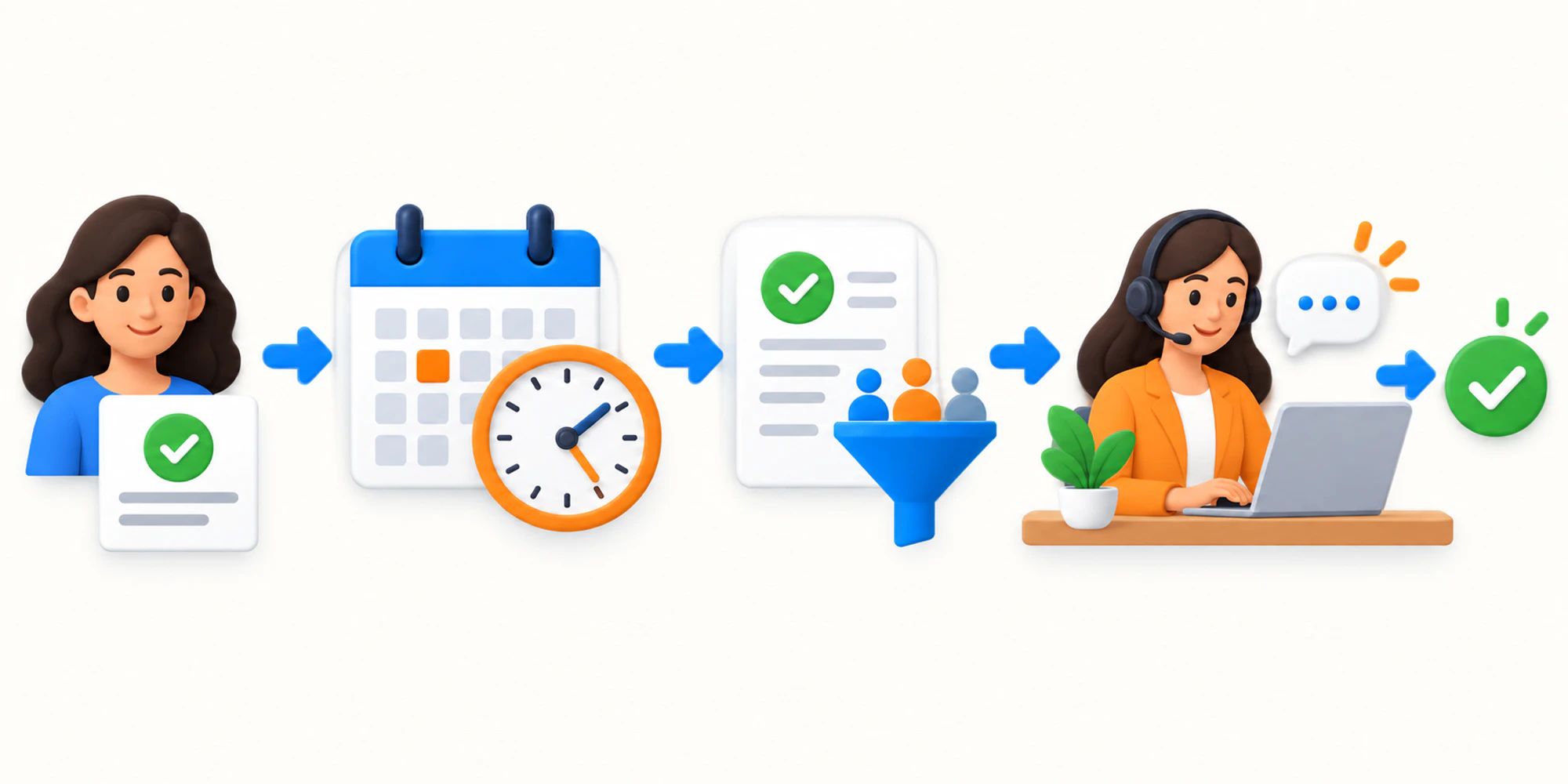
Run the final gate at execution time, not only when the draft was created. Confirm consent and suppression, customer status, template approval and purpose, local window, campaign status and any competing automation. The consent records guide shows how permission and opt out state should remain usable by campaigns and workflows.
Treat an excluded recipient as a successful control. Record why the send was held so the team can correct the data or journey instead of retrying a message that is no longer appropriate.
Assign replies before the message enters the queue
Define the queue, working hours, language coverage and escalation conditions before scheduling. A useful fallback may set an honest response expectation and assign the conversation to the next staffed shift. It should not make an unattended queue look like live support.
Estimate replies as a range and decide what happens when the primary team is full. High intent leads, complaints and exceptions may need a different owner from routine questions. The shared team inbox keeps campaign source, customer history, current owner and automation state visible when a person responds.
Human ownership also prevents follow up from talking over the customer. If a reply arrives, the related sequence should pause or move to a deliberate state.
Use one repeatable scheduling checklist
Build a runbook that any trained operator can follow.
- Define the customer event and expiry condition.
- Select the audience using current purpose and consent.
- Segment recipients by the time zone that controls delivery.
- Choose a local time window and record the reason.
- Confirm the approved message and current eligibility rules.
- Check recent customer activity and competing journeys.
- Assign the reply queue, staffed hours and escalation path.
- Recheck eligibility immediately before execution.
- Watch an initial cohort before releasing more volume.
- Record exclusions, replies and business outcomes.
For templates with variables, media or buttons, keep status and purpose visible through WhatsApp template management. Preview missing data conditions before the campaign depends on them.
Measure timing without guessing
Do not judge timing from one top line read rate. Compare groups with the same message purpose, template, audience rule and reply coverage, then change one scheduling variable. A cleaner segment or stronger offer can otherwise be mistaken for a better hour.
| Signal | What it tells the team | What to check next |
|---|---|---|
| Excluded | The final gate stopped a send | Consent, customer state or template reason |
| Delivered | The platform accepted delivery | Read and reply behavior by comparable group |
| Replied | The message created a conversation | Owner, response time and customer outcome |
| Opted out | The message did not meet expectation | Purpose, frequency, timing and audience source |
Track the intended business outcome as well as delivery. A slot that produces confused replies, stop requests or after hours escalations is not a winning slot even if many messages were read.
Connect scheduling to the wider customer journey
Multi step follow up should stop when the customer replies, buys, cancels or reaches another terminal state. Drip Marketing can support business aware delays and stop rules, but the automation is only as sound as the customer state and ownership behind it.
The operating standard is simple. Schedule in the customer local context, recheck permission and eligibility at execution and staff the reply path before sending. Start with one real journey, verify each decision and only then increase volume.
Frequently Asked Questions
Can a business schedule WhatsApp messages
Yes. A team using supported Business Platform campaign or workflow tools can schedule eligible messages. The schedule still needs current consent, an appropriate approved message where required, local timing and a team ready to manage replies.
Should every customer receive the message at the same time
Usually not when customers or service locations span time zones or operating hours. Segment by the local context that controls delivery and use a clear fallback for unknown locations.
What should stop a scheduled WhatsApp message
A reply, opt out, completed purchase, cancelled appointment, changed customer state, invalid template, expired purpose or another completed outcome can make the planned message unnecessary. Define these stop conditions before launch.
Want help applying this guide?Ask the DripTell team
From reading to action
Want help applying this to your business?
Share your details. We will read the article you are on and start with a useful answer for your team.
DripTell Editorial
Practical guidance reviewed by the DripTell product and customer workflow team.
See how DripTell checks product claims, uses primary sources and handles corrections.
Editorial and source policy