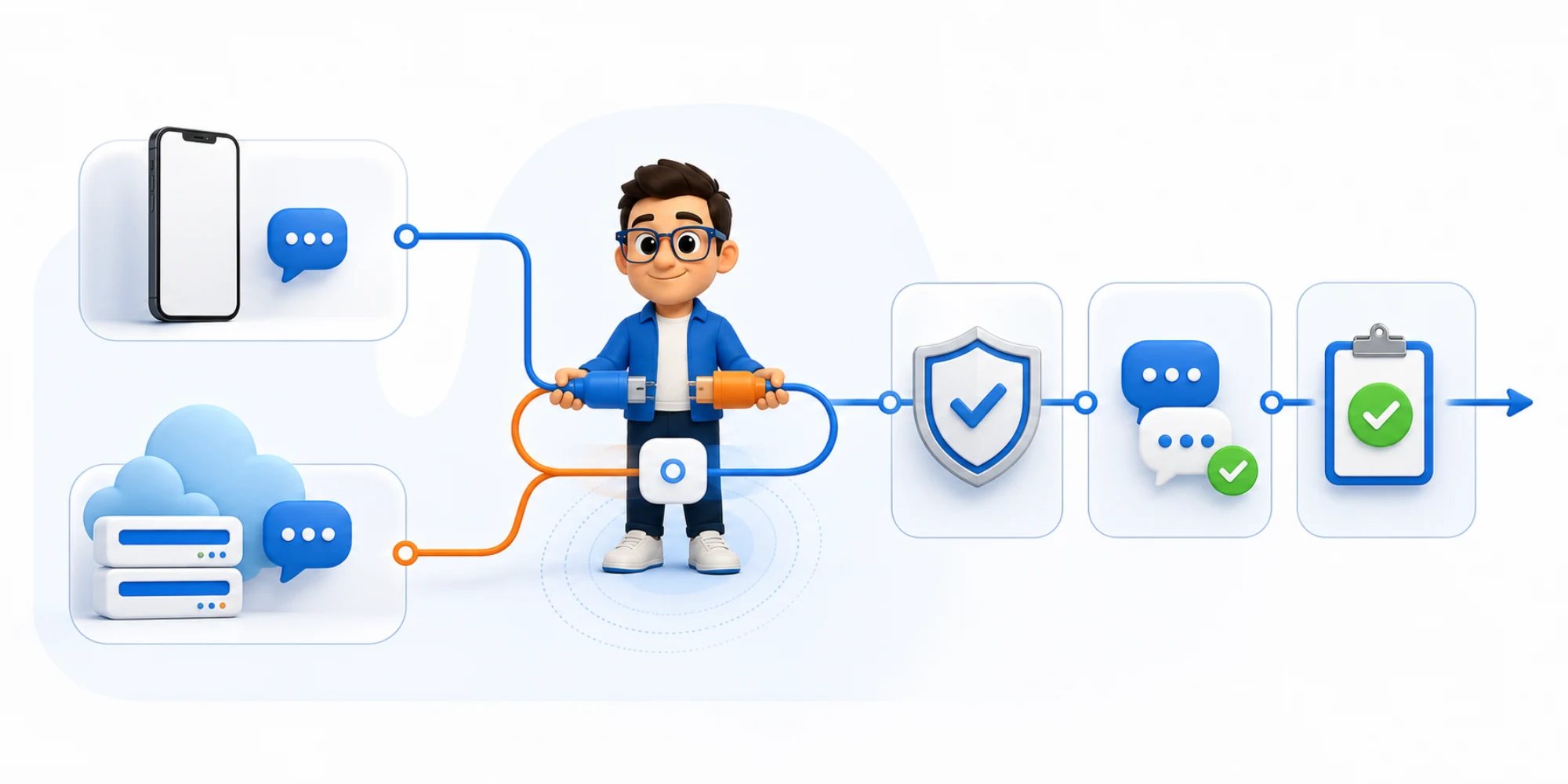
WhatsApp coexistence lets an eligible business keep using its existing WhatsApp Business app number while that same number is onboarded to Cloud API. That removes a painful all-or-nothing choice, but it does not turn the app and API into identical interfaces.
Meta’s current onboarding documentation for WhatsApp Business app users describes a hybrid architecture: recent individual chats can be synchronized, new one-to-one messages can be mirrored, and the app continues to work. It also documents eligibility requirements, a fixed throughput limit and important feature gaps.
The useful buyer question is therefore not simply “Can I keep my number?” It is “Can my team operate one customer relationship across two surfaces without duplicate replies, invisible work or a broken exit plan?” This checklist helps answer that question before a production number is connected.
What coexistence changes—and what it does not
In a standard Cloud API setup, the platform becomes the operational surface for messages delivered through the API. With coexistence, the WhatsApp Business app remains active as a second working surface for the same number. A business owner may still answer from the phone while a service or sales team works from a shared platform.
That can be useful when a small business is not ready to remove the familiar app from daily work. It can also create ambiguity. Two interfaces do not automatically produce one owner, one queue or one set of stop rules.
Treat coexistence as a controlled operating model, not as a migration shortcut. The customer still sees one number, but the business must decide:
- which surface is authoritative for assignment and status;
- how an app-side reply becomes visible to the platform team;
- which automations must stop after any human or customer response;
- where contacts, consent, notes and outcomes are recorded;
- who owns an incident when synchronization is late or incomplete;
- how the business will offboard if the arrangement no longer fits.
A shared WhatsApp inbox can centralize ownership and history for supported conversations, but coexistence still needs explicit tests for the app-side events your chosen onboarding route exposes.
Pass the eligibility gate before you promise a launch
Meta’s business-app-user flow is not a generic switch inside every Cloud API account. The official requirements currently say that the business customer must use WhatsApp Business app version 2.24.17 or higher. The onboarding party must already be a Solution Partner or Tech Provider, understand Cloud API, accept the required webhooks and use Embedded Signup with session logging.
For a buyer, those technical requirements become five preflight questions:
- Is the number on the WhatsApp Business app? Do not confuse the business app with the consumer WhatsApp app or a number already committed to another incompatible setup.
- Does the provider support this exact onboarding flow today? “We support WhatsApp Cloud API” is not the same statement as “we can onboard an existing business-app user through coexistence.”
- Who owns the Meta assets? Confirm the business portfolio, WhatsApp Business Account, phone number, display name and payment or credit-line relationships before the signup window opens.
- Can the provider prove webhook readiness? History, contact state and messages sent from the app rely on specific events such as `history`, `smbappstatesync` and `smbmessage_echoes`.
- Is the workload compatible? Meta documents a fixed throughput of 20 messages per second for a number used by both the app and Cloud API. A higher-volume operation should not assume coexistence has the same scale profile as a standard Cloud API number.
Record the answers, screenshots of non-secret asset ownership and the named person allowed to approve the connection. Do not schedule campaigns, decommission an inbox or promise a cutover date while any answer is uncertain.
Draw a feature boundary before you connect the number
The biggest coexistence mistake is assuming that everything visible in the app is also available through Cloud API. Meta’s feature comparison is more specific.
- Individual chats: messages from the most recent six months can be synchronized. New messages sent and received can be mirrored between Cloud API and the business app.
- Contacts: contacts with a WhatsApp number can be synchronized.
- Group chats: groups continue in the app but are not supported or synchronized through Cloud API in this flow.
- Disappearing, view-once and live-location messages: these app features are disabled or unsupported for individual chats after onboarding.
- Broadcast lists: new app broadcast lists cannot be created, and existing lists become read-only. API campaigns are a different operating path, not a continuation of an app broadcast list.
- Voice and video calls: the app behavior remains available, but those calls are not exposed as Cloud API functionality in the coexistence comparison.
- App business tools: catalog, orders, status, greeting messages, away messages, quick replies and labels remain app tools; they are not automatically Cloud API features.
Turn that list into a boundary register with four columns: customer task, app behavior, platform behavior and system of record. If group conversations are central to sales, for example, state clearly that the platform team will not receive their history through coexistence. Do not hide that gap inside training notes.
DripTell’s WhatsApp workspace supports official WhatsApp Business Platform conversations, templates, campaigns, automation and team ownership. That product capability does not by itself prove that every existing app number is eligible for coexistence; the onboarding route and number must be verified separately.
Decide which surface owns each action
One number can have two interfaces, but each customer action should still have one owner. Create a simple responsibility table before launch.
Use the app only for named cases that genuinely need it, such as an owner’s high-touch one-to-one reply or an app-only group. Use the platform as the working queue when several people need assignment, status, notes, reporting or automation. Avoid a rule as vague as “reply wherever you see it first.”
For every mirrored message, the operating workflow should do three things:
- attach the event to the correct customer and conversation;
- update the visible owner or state without creating a duplicate thread;
- stop or re-evaluate any automation that would now talk over a live exchange.
The technical echo is not the same as operational ownership. A received `smbmessageechoes` event proves that an app message reached the webhook; it does not prove that an agent saw it, that a follow-up stopped or that the CRM outcome changed.
Build those decisions in a visible customer-journey automation. Keep manual correction available. If an app reply cannot reliably update the shared queue, either restrict app replies to a narrow role or reject coexistence for that workflow.
Run a ten-case coexistence pilot
Do not call the connection successful because Embedded Signup completed. Run a controlled pilot on the real operating surfaces before adding volume.
- Open an individual chat from within the six-month history window and confirm the expected history appears.
- Start a new inbound one-to-one conversation and verify it reaches both permitted surfaces.
- Reply from the app and confirm the platform receives the correct echo without creating a second contact.
- Reply from the platform and confirm the app shows the same customer thread.
- Send an ordinary supported media message and verify its content and delivery state.
- Change a test contact in the app and confirm the intended contact-state event is processed.
- Reply while an automated follow-up is waiting and prove the follow-up pauses before delivery.
- Open an app group and prove the platform does not falsely present that group as synchronized.
- Exercise a failure: delay or reject a webhook in a test environment and verify the team sees the exception.
- Walk through the documented offboarding path and identify what must be exported, reassigned or reconfigured before disconnecting.
Use internal test participants or customers who have explicitly agreed to the test. Record expected result, actual result, timestamp, surface, owner and evidence. A green connection badge is not evidence for message continuity.
Know when coexistence is the wrong architecture
Coexistence is a strong candidate when the business must keep a known number in the app, app use is limited and deliberate, the provider supports the official flow, and the team can monitor message echoes and ownership.
Prefer a standard Cloud API operating model when any of these conditions is true:
- every customer interaction must enter one governed queue;
- app-side work would create unacceptable audit or assignment gaps;
- groups are a core workflow that the platform team expects to manage;
- the number needs a scale profile beyond the documented coexistence throughput;
- the provider cannot demonstrate current eligibility and feature behavior;
- the business has no owner for the phone, app activity or reconnection process;
- the team treats synchronization as a backup instead of keeping records in the proper system of record.
The safer choice is the one your team can explain during an incident. Keeping the app is not a benefit if it creates a second invisible inbox.
Measure operational integrity, not just connection status
Track whether the hybrid workflow stays coherent:
- percentage of app replies mirrored into the platform;
- percentage of platform replies visible in the expected app thread;
- duplicate contacts or duplicate conversation incidents;
- automation steps correctly stopped after a reply;
- unassigned conversations and time to owner acceptance;
- message-echo and history-sync failures;
- app-only conversations that required a manual handoff;
- reconnections, offboarding events and unexplained disconnects;
- outcomes recorded against the correct customer record.
Separate “message arrived” from “work was owned.” The first is a transport measure. The second is an operating measure. Review both during the pilot and again after every material provider or Meta change.
A buyer’s coexistence checklist
Ask a provider to demonstrate the exact number path you plan to use. The demonstration should show eligibility, asset ownership, Embedded Signup, history scope, an app-side reply, a platform-side reply, automation stopping, group boundaries, throughput expectations, failure visibility and offboarding.
Then ask for the limitations in writing. Avoid claims such as “nothing changes,” “all history syncs” or “the app and API are identical.” Meta’s own table contradicts those simplifications.
Bring one real customer journey to a DripTell walkthrough. Map where the conversation starts, who may answer in the app, who owns the shared queue, which event stops automation and which system records the outcome. The right result may be coexistence, a standard Cloud API setup or a narrower pilot. The goal is not to preserve every old habit; it is to preserve customer continuity while adding operational control.
Frequently asked questions
Can the same number use the WhatsApp Business app and Cloud API?
Yes, when the business and provider meet Meta’s current business-app-user onboarding requirements and the number is eligible for that flow. Do not assume every Cloud API connection or number supports it.
Does all WhatsApp history synchronize?
No. Meta documents synchronization for individual chat messages from the most recent six months. Group chats are not synchronized through Cloud API in coexistence.
Can the team keep using app broadcast lists?
Existing app broadcast lists become read-only and new ones cannot be created after onboarding. Cloud API campaigns use a separate platform process.
Who should own the conversation?
Choose one operational owner and one authoritative queue for every customer state. App access can remain available, but an app reply must update ownership and stop conflicting automation if the workflow is to remain safe.
Does DripTell guarantee coexistence for every number?
No universal eligibility claim should be made. DripTell supports official WhatsApp Business Platform workflows; coexistence must be confirmed for the current number, Meta assets and onboarding path before a launch is scheduled.
DripTell Editorial
Practical guidance reviewed by the DripTell product and customer workflow team.
See how DripTell checks product claims, uses primary sources and handles corrections.
Editorial and source policy