





A supervisor opens the new workspace and cannot find the queue view her team uses every morning. The screen works. The license works. The migration still is not ready.
Moving from Customer Service Hub to Copilot Service workspace should be treated as a controlled rebuild of customer work, not a change of shortcut. Microsoft describes Customer Service Hub as a single-session app and Copilot Service workspace as a multisession app. Existing Hub users can continue for now, while new Enterprise organizations use the newer workspace and Microsoft recommends that existing customers migrate. The important work is proving that the new app carries every required task, not merely that it opens.
Start with the work people must finish
Begin with a short list of real customer jobs. Include opening a case, finding the correct view, reading history, sending a reply, consulting another person, transferring ownership and closing with a useful note. A team that already follows a clear case note standard has an advantage because the expected record is visible.
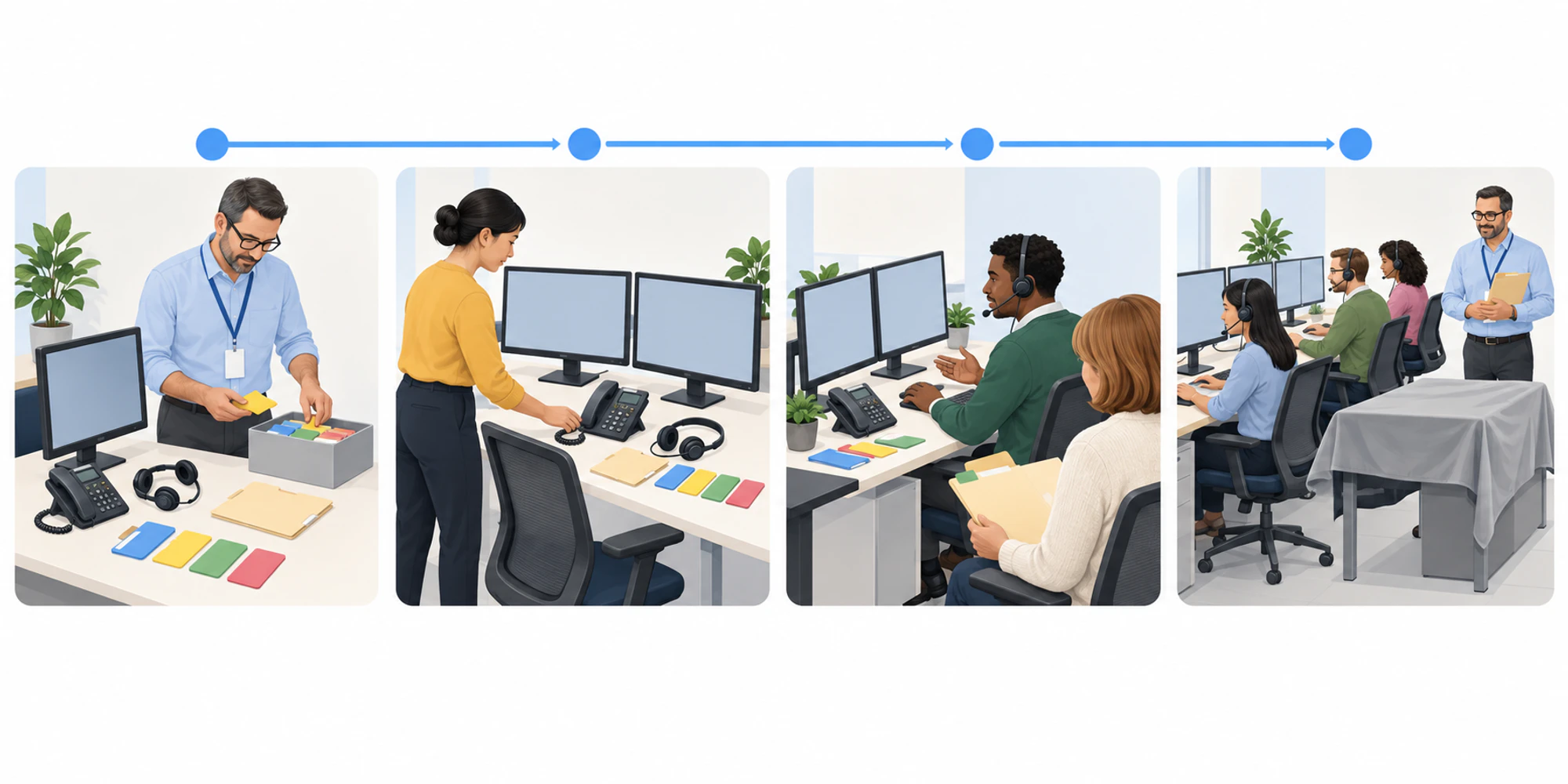
- 1Record real workList the cases, views, forms, dashboards, flows and links people actually use.
- 2Compare both appsOpen the designers and mark each required component as present, missing or changed.
- 3Rebuild the gapsAdd required pages and components and revisit custom behavior for multisession use.
- 4Rehearse live tasksTest representative cases, transfers, ownership and recovery with a small cohort.
- 5Accept before switchingMove roles only when named owners sign off the agreed evidence and fallback.
The current Microsoft availability FAQ makes an important distinction. Customer Service Hub is no longer available to all new organizations with Enterprise licenses, but existing organizations can still use it. That is time to migrate carefully, not a reason to leave both apps drifting indefinitely.
Use an acceptance owner for each critical job. The owner should be able to say what must be visible, which role needs it and what counts as a pass. Avoid requirements such as “looks the same.” A multisession workspace will not behave exactly like a single-session app.
Inventory the difference before rebuilding
Open the Customer Service Hub app and Copilot Service workspace in the app designer. Microsoft’s migration guide names dashboards, views, forms, business process flows and links as components that may need to be added to the new app. It also warns that customizations beyond the documented list must be recreated manually.
Build the inventory from observed use, not memory. Watch representatives complete ordinary work and record where each step starts. Include security roles, navigation, default forms, embedded links and custom scripts. Microsoft notes that xRM framework APIs follow a multisession pattern in the new workspace, so a customization that technically loads may still attach to the wrong session or lose context.
| Evidence to capture | Owner | Pass condition | Failure signal |
|---|---|---|---|
| Required views and dashboards | Service operations | Every role sees the agreed work list | A routine queue or dashboard is absent |
| Forms and business flows | Application owner | The right form and stage open for the case | A default form or process is wrong |
| Roles and app access | Administrator | Pilot users can open only their intended work | Access is missing or broader than planned |
| Custom links and scripts | Technical owner | Each action stays with the correct session | A link opens without customer context |
| Customer ownership | Team lead | One accepted owner remains visible | Two people reply or nobody owns the case |
This table is the migration backlog. A missing item is work to plan, not a surprise to discover after launch.
Test customer work rather than menus
Choose six to ten representative cases. Include a simple case, a case with a long history, a transfer, a reopened item, an attachment, a permission boundary and a case that uses a custom component. Keep the same inputs in both apps and record the expected result before testing.
Do not judge success by click count alone. Confirm that the correct customer and case remain attached when the representative moves between sessions. Check that routing still sends work to the expected queue with the same care used in a routing rule audit. Verify presence and capacity separately with an agent availability audit.
The multisession model changes habits. Representatives can work across sessions and tabs in one window. That can reduce window switching, but it also creates a new risk: replying from the wrong active context. Include a deliberate context-switch test and apply the same send-time controls used to prevent duplicate customer replies.
Move one controlled cohort first
Select a small group that represents the real operation. Give them normal work, not a polished demonstration. Keep a named person available to classify each issue as missing configuration, permission, training, customization or product limitation.
Run the pilot long enough to cover a full work cycle. A support operation may need a shift change, a reopened case and a supervisor intervention before the important gaps appear. Do not let the pilot become permanent parallel running. Set an acceptance date, a rollback owner and a decision meeting.
A practical switch gate asks four questions:
- Can each role find and finish its core jobs?
- Does customer context remain correct across sessions and tabs?
- Do routing, access and ownership still behave as agreed?
- Can the team recover safely when a customization fails?
If one answer is uncertain, keep the cohort small and fix the gap. Moving everyone does not make the evidence stronger.
Keep the operating model portable
The durable asset is not the app layout. It is the agreement about customer history, ownership, access and next action. That is also how we think about a shared customer inbox. The interface can change, but the customer should not have to repeat the story or wonder who owns the reply.
Teams reviewing a broader customer support operation should keep the workspace migration separate from platform selection. Copilot Service workspace replaces a Microsoft service app experience. It does not by itself define your cross-channel ownership policy, response standards or handoff rules.
Finish by retiring ambiguity. Record which app each role should use, who owns remaining exceptions and when any temporary Hub access will be reviewed. A migration is complete when normal work is dependable in the new workspace and the fallback is a documented safety measure rather than an unofficial second process.
Frequently Asked Questions
Can existing teams keep using Customer Service Hub
Yes. Microsoft says existing organizations can continue using Customer Service Hub, while recommending migration to Copilot Service workspace. Treat that support window as preparation time and verify current licensing and availability for your environment.
What should be checked before moving users
Check dashboards, views, forms, business process flows, links, roles, default forms and every custom behavior people use. Then test representative customer cases from start to finish.
Why is multisession testing necessary
Copilot Service workspace keeps several sessions and tabs inside one window. A customization or human habit that worked in a single-session app can attach to the wrong context, so switching, ownership and send-time checks need explicit testing.
When is the migration finished
It is finished when each role can complete agreed customer jobs, the evidence is accepted by named owners, exceptions have owners and the old app is no longer an informal parallel workflow.
Want help applying this guide?Ask the DripTell team
From reading to action
Want help applying this to your business?
Share your details. We will read the article you are on and start with a useful answer for your team.
DripTell Editorial
Practical guidance reviewed by the DripTell product and customer workflow team.
See how DripTell checks product claims, uses primary sources and handles corrections.
Editorial and source policy

